Sprout
A privacy-first AI desktop application for care-experienced young people to navigate their own social care records
Problem
Young people who have been through the care system are legally entitled to access their own social care records. In practice, those records are dense, bureaucratic documents — written in professional shorthand, full of third-party assessments, often containing deeply distressing content about the person’s own history.
A young person would receive a folder of documents with no context, no guidance, and no way to navigate them. For users with trauma histories and low institutional trust, this wasn’t just a UX problem — it was a safeguarding one.
Therewith’s mission was to change that: AI designed with, for, and by care-experienced young people — to help them make sense of their own stories, understand their rights in plain language, and surface the positives buried in crisis-focused records. With one hard constraint: no data could leave the device, totally private by design.
Interaction model
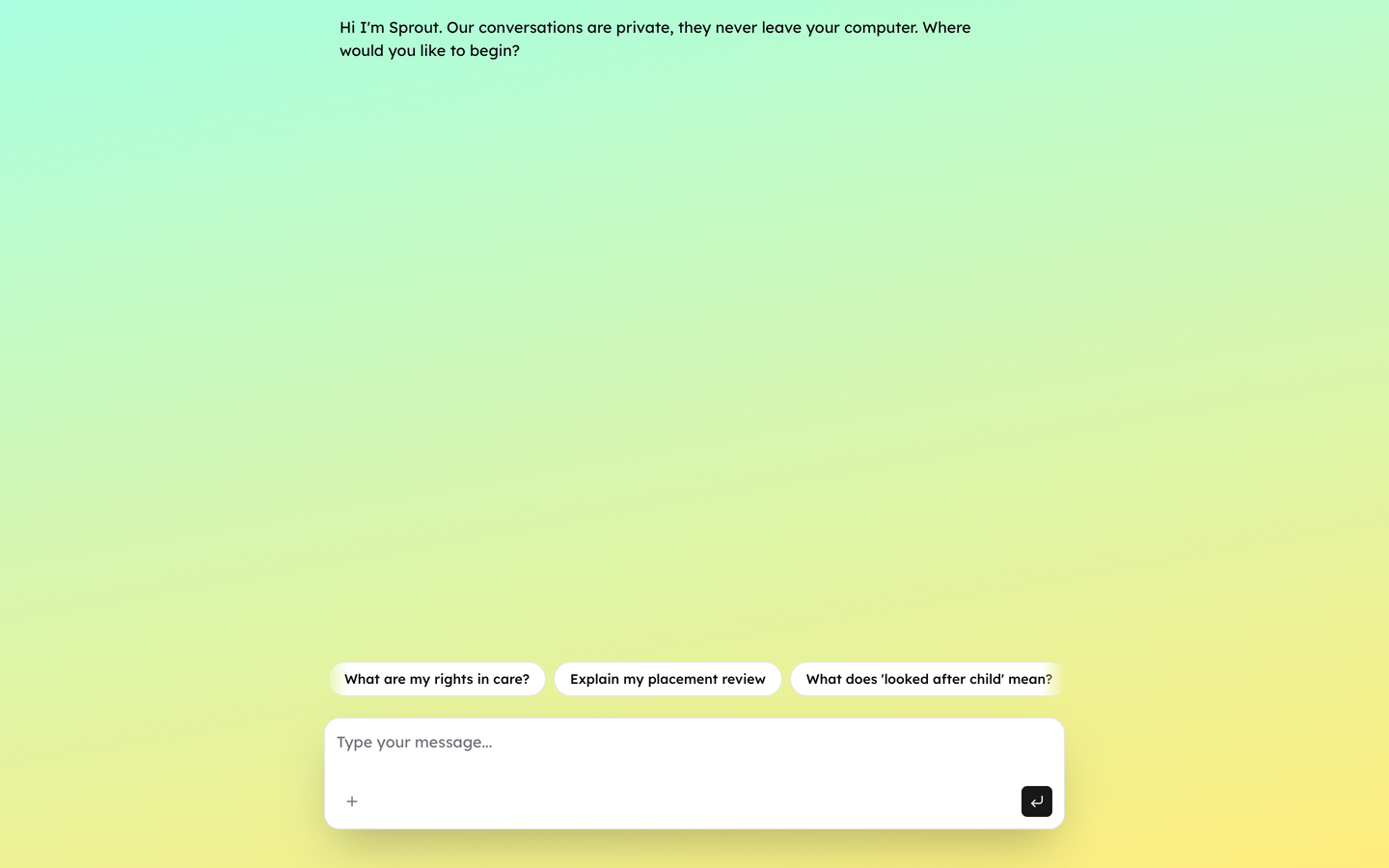
The empty state includes conversation starters drawn from Therewith’s sessions with care-experienced young people — explaining Sprout’s focus and surfacing the most common questions instantly.
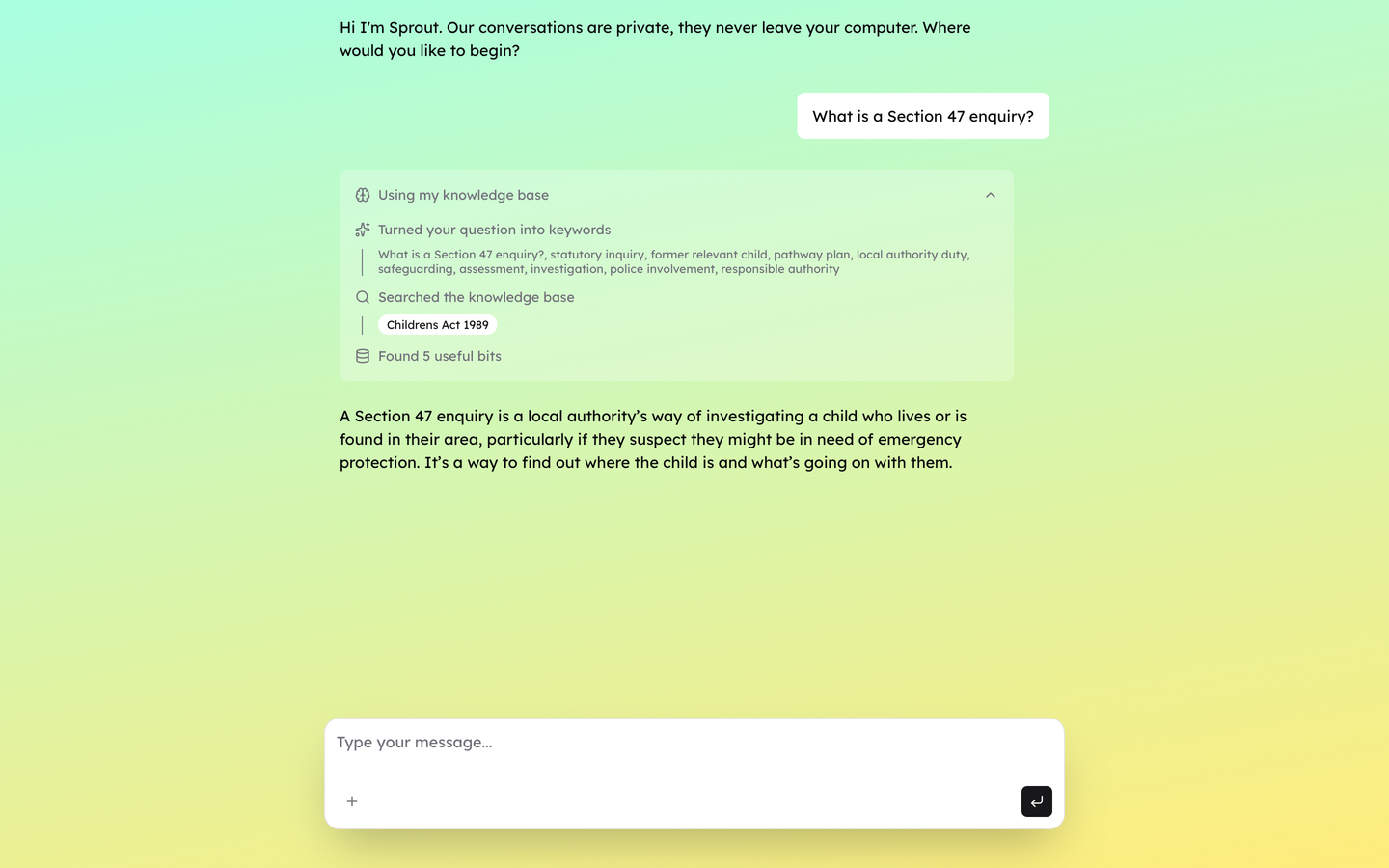
The AI needed to answer questions beyond the user’s own records — about rights, legal entitlements, and official processes. I built a RAG pipeline that ingested key UK government documents and stored them as a SQLite file. Every new chat session seeds an in-memory database from this file, giving the AI a stable knowledge base to quote official language or clarify entitlements accurately. I then built a custom retrieval process that combined semantic and full-text search to ensure accuracy.
Trust required transparency. I designed a chain-of-thought UI component — using age-appropriate language — that surfaces how the AI generated each response: whether it drew from the user’s records, the knowledge base, or both, and most importantly how it converts the users language in to search keywords.
Fully local document processing and embedding
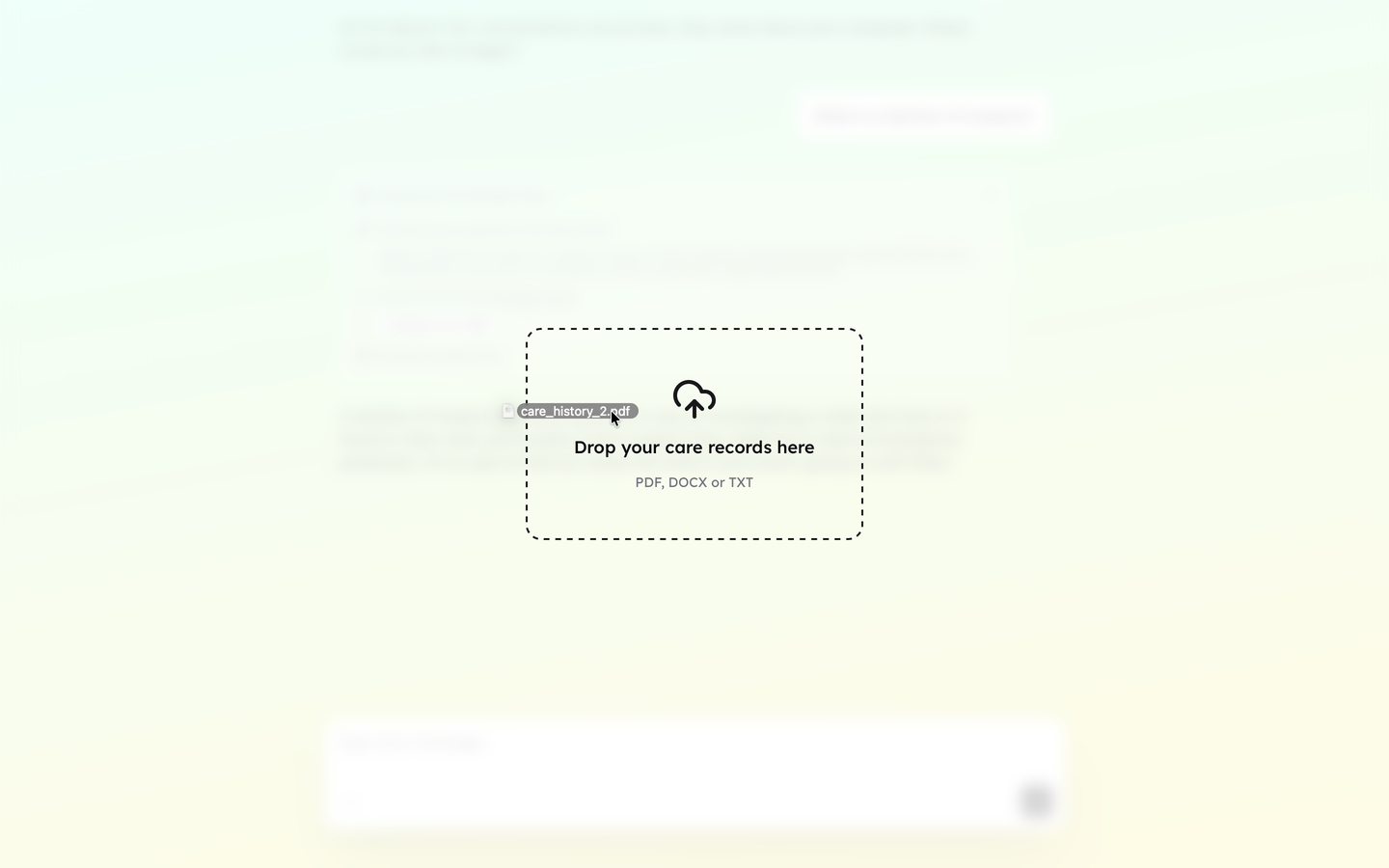
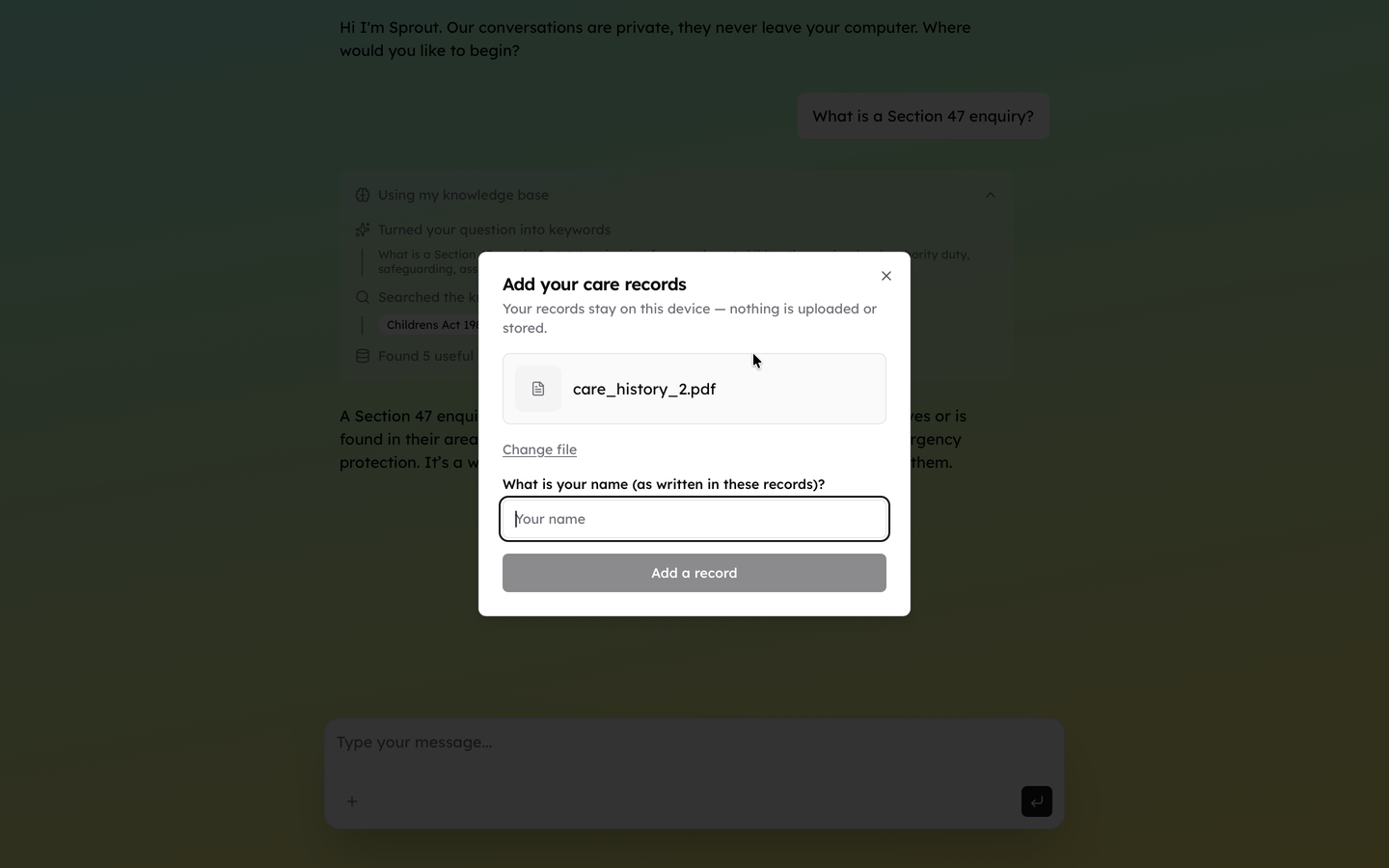
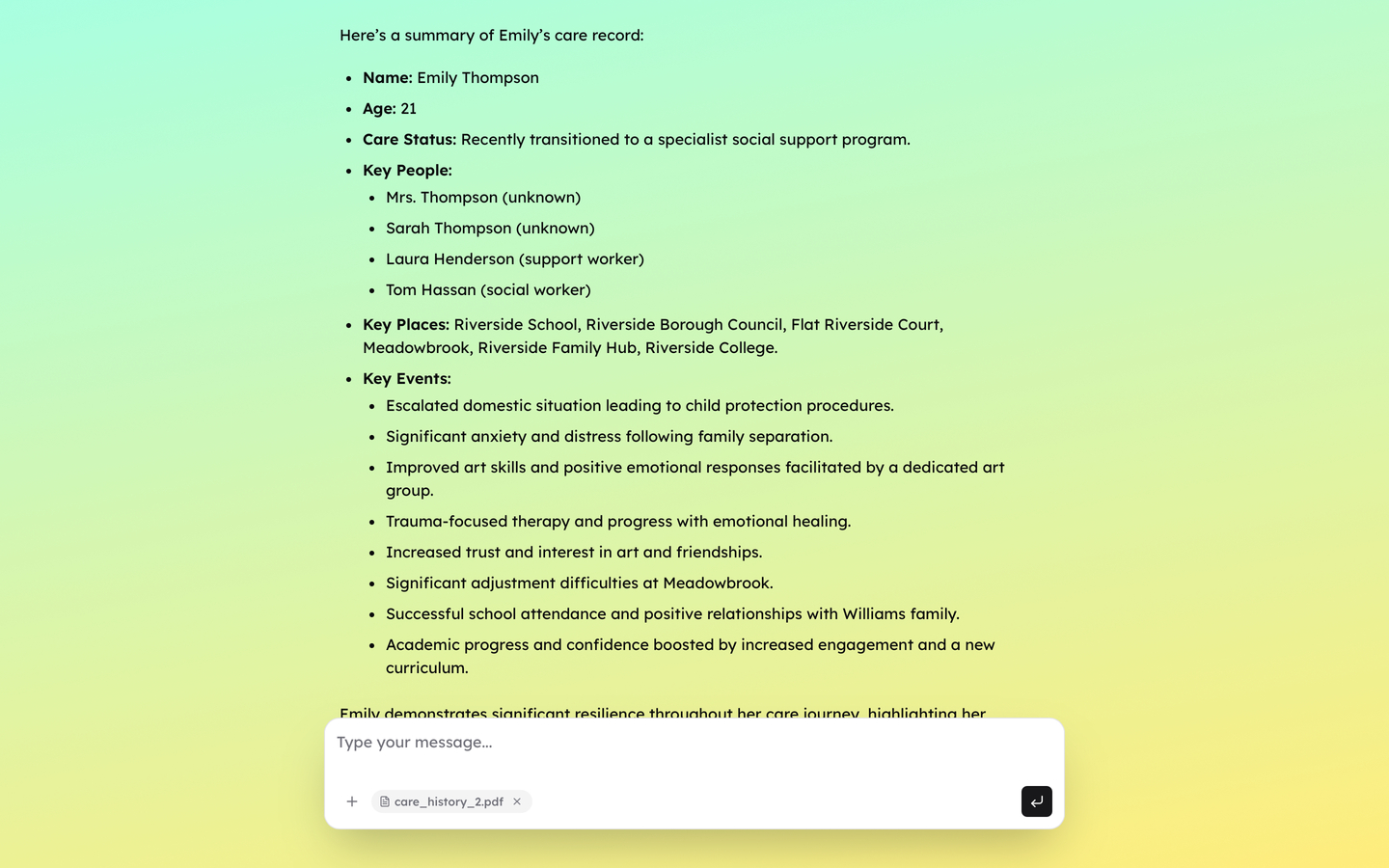
Young people needed to add their care records without friction. I built a processor for .txt, .docx, and PDF files that breaks each document into chunks, summarises each chunk, then stores the original, summary, and vector embedding in the same database as the official documents. A 90-page PDF takes 3–4 minutes end to end – processed entirely on the users device. Users drag files over the window or tap ”+” then a progress bar narrates each step in plain language. Once processing completes, a summary explains in plain terms what the AI now understands from that document.
Engineering a conversation
Getting the tone right required sustained prompt engineering work. I spent significant time revising prompts to work with the model’s natural tendencies rather than against them. One example: the model consistently used a person’s name when reading from their records rather than “you” or “your”. Rather than suppress this, I adjusted the framing to “here’s what your document says to me…” making the third-person prose feel considered rather than cold.
Accuracy and honesty were equally critical. The AI could not fabricate data, make assumptions, or guess a key fact. When it lacked enough information it asked a clarifying question; when a question fell outside its knowledge base it said so directly — “the answer to your question is outside my knowledge base, would you like suggestions on who to ask?” — and offered a path forward. No dead ends. If the AI doesn’t know, it says so.
Technical architecture
I used Tauri and Rust to create a multiplatform desktop app with a React frontend, Typescript/Bun backend and Ollama.cpp for handling the AI models. The frontend uses accessible colors, typeface, is keyboard accessible, screen-reader friendly and WCAG 2.2 AA compliant.
To create a fully local inference — no cloud API calls, no data transmission — the model had to run on consumer laptops. After benchmarking many models I chose gemma3:1b-it-qat and nomic-embed-text for the base models.
The RAG pipeline was custom-built because the document structure of social care records is highly idiosyncratic. Headers, case worker identifiers, date structures, and section boundaries all required custom parsing before chunking.
Data privacy
The in-memory SQLite database is created, seeded with UK knowledge, and deleted for each session. No user data persists, no chat history, no files to delete.
For observability I use Langfuse in development mode, to fully trace every AI call, allowing the team to run comprehensive evals and capture any bad behaviours. In production no API keys exist and Langfuse cannot be instantiated – no data leaves the users device.
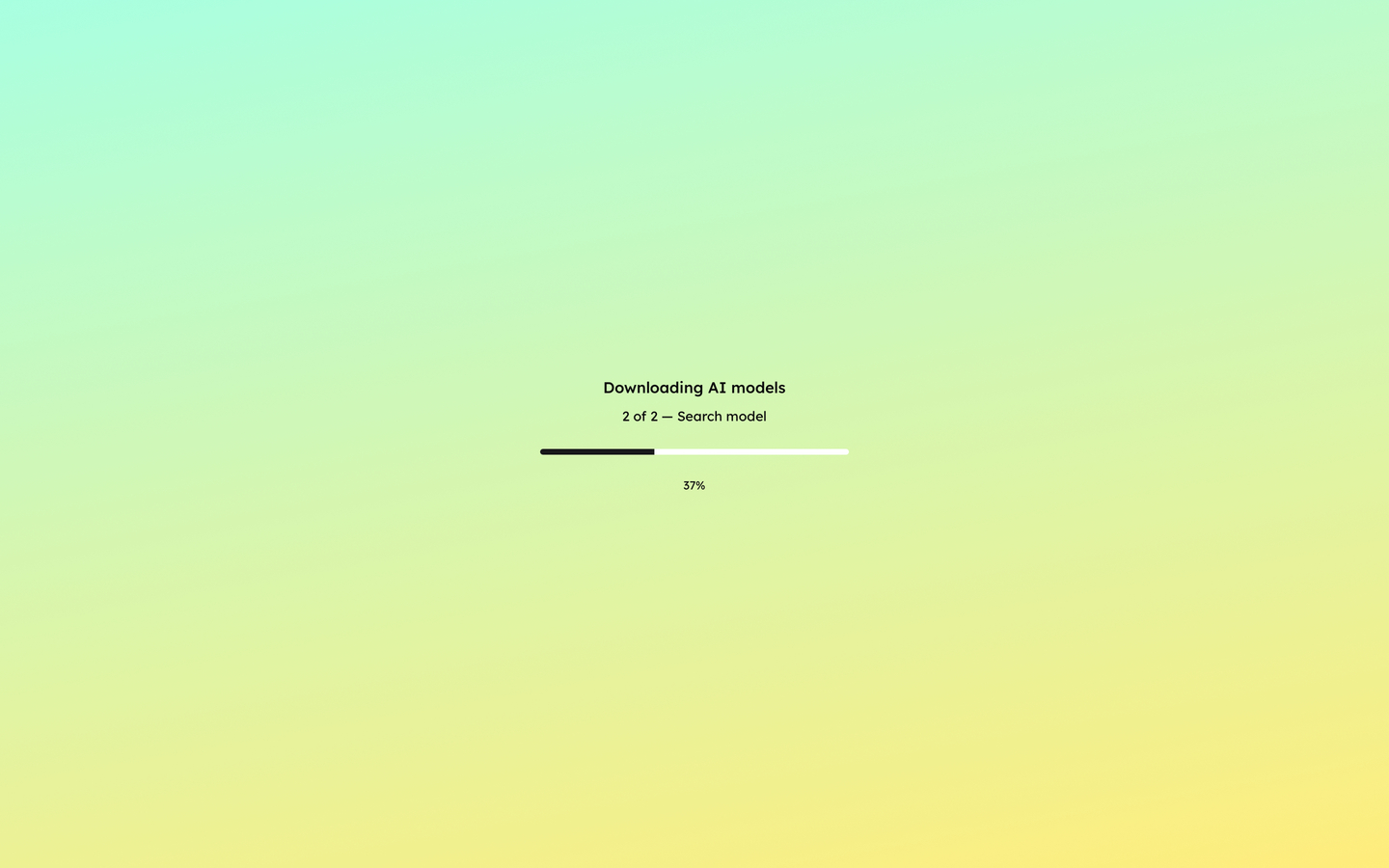
The application needed to work on consumer laptops with no technical instruction. I chose Tauri + Bun because they produce small initial files (47MB for the entire Sprout .dmg) and a native install experience. The first time a user opens the app, both SLMs (Small Language Model) are automatically downloaded. They are only 1GB combined, and can be downloaded in a few seconds. Afterwards the application never sends or receives any other data.
Beta testing
Therewith is currently beta testing the MVP with care experienced young people to gain feedback and insights. Iteration and improvements as well as a public launch come later, once the product experience is tried and tested.